One assistant for your clients and your team
Load your documents, catalogue and staff once. From then on the assistant answers from them for your clients and for your team — on the site, in a portal, or inside your own systems through the API.
to go live — set up by your staff, not by a developer
to the first answer — it starts typing at once, with no waiting
always on — no days off, no queues, no breaks
It does not paraphrase, it shows and acts
Where an ordinary chatbot would send a link to some page, the assistant lays out cards, opens a form and sees the job through — in the same window.
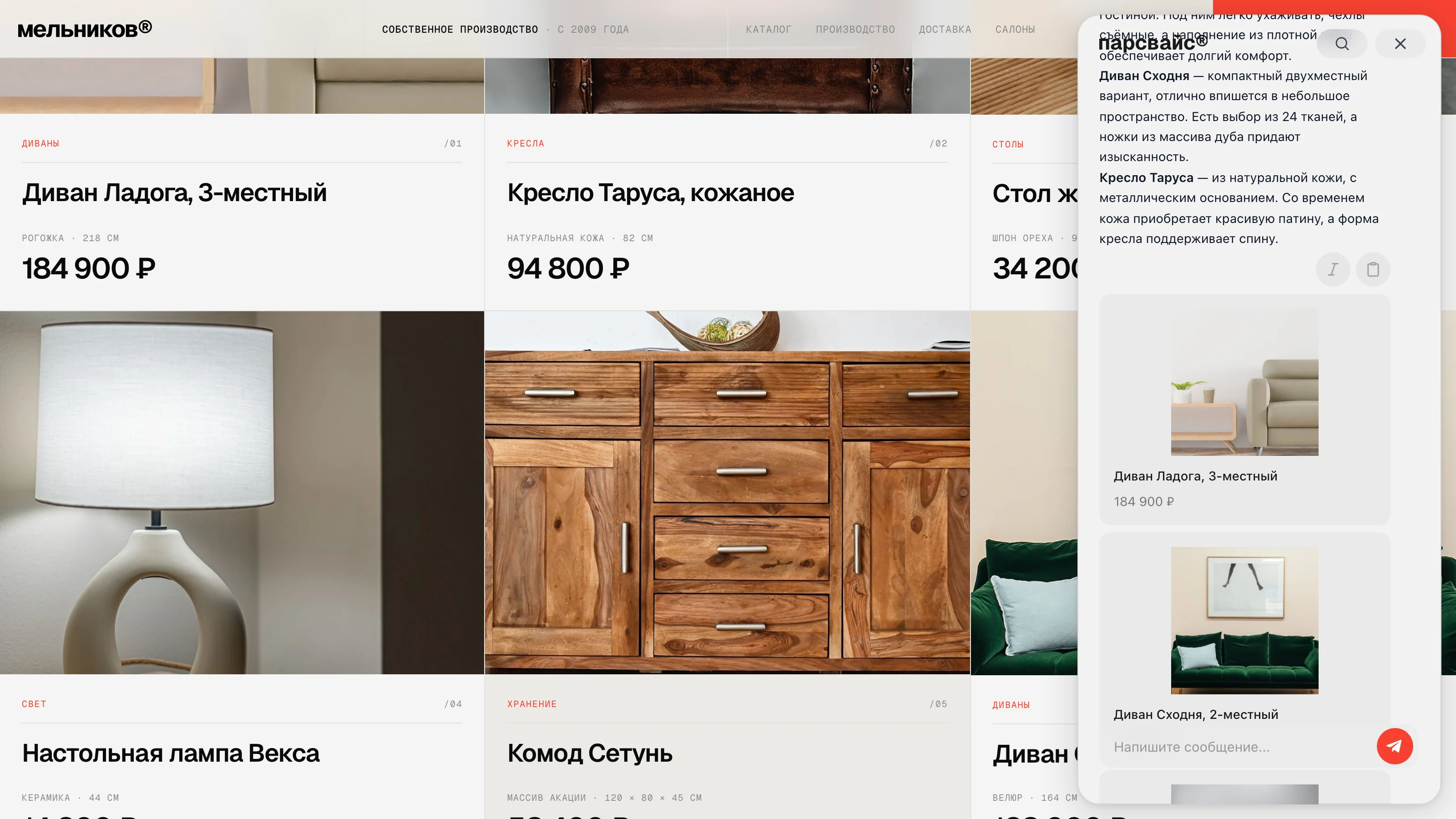
Shows the products as cards
The client describes the task in plain words — the assistant lays out matching items with photo, price and availability, and compares them.
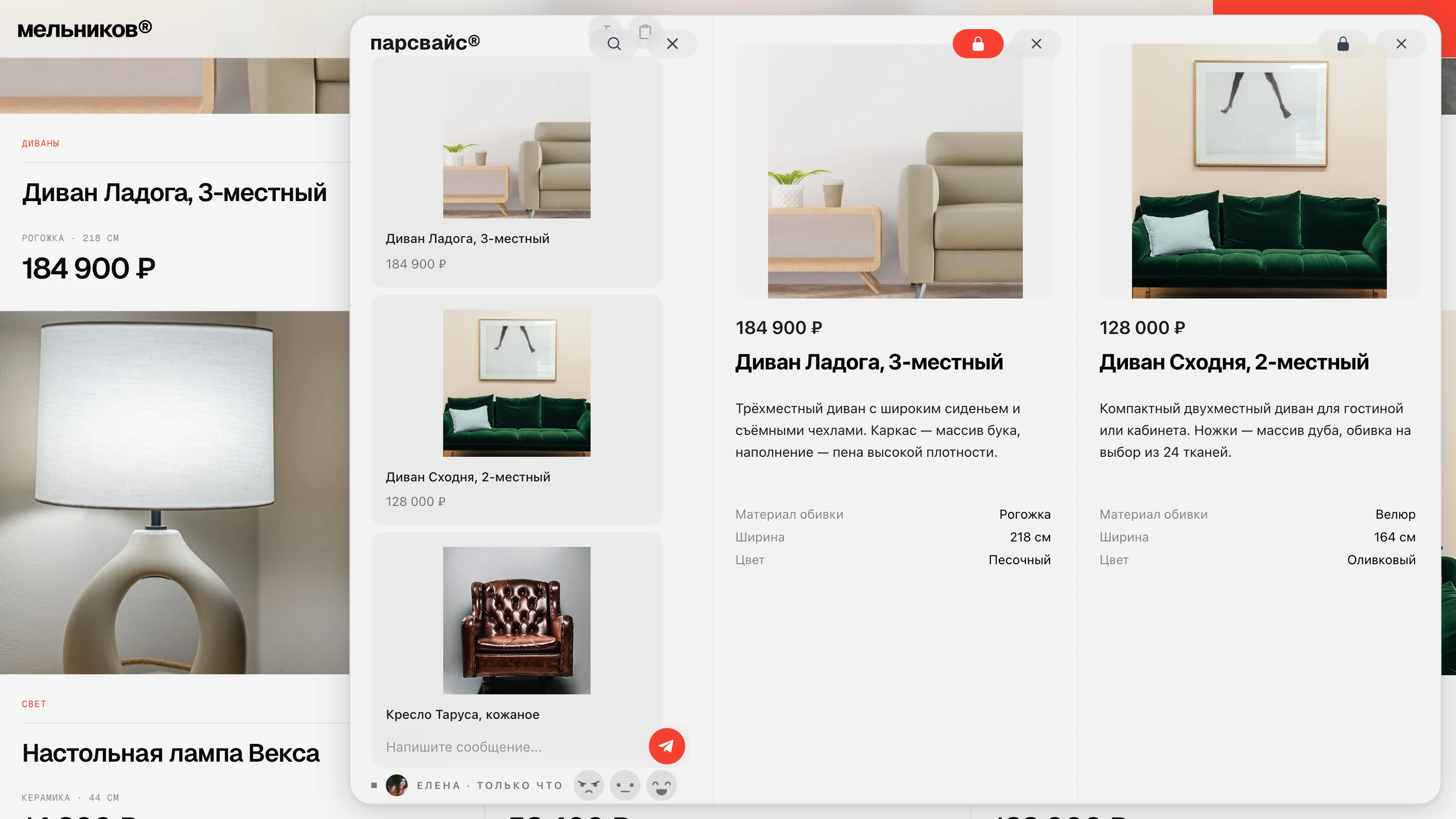
Opens a card and puts a second beside it
A card in the answer opens into a panel with photos, price and specs. Pin it and open another alongside — the client compares them without leaving the chat.
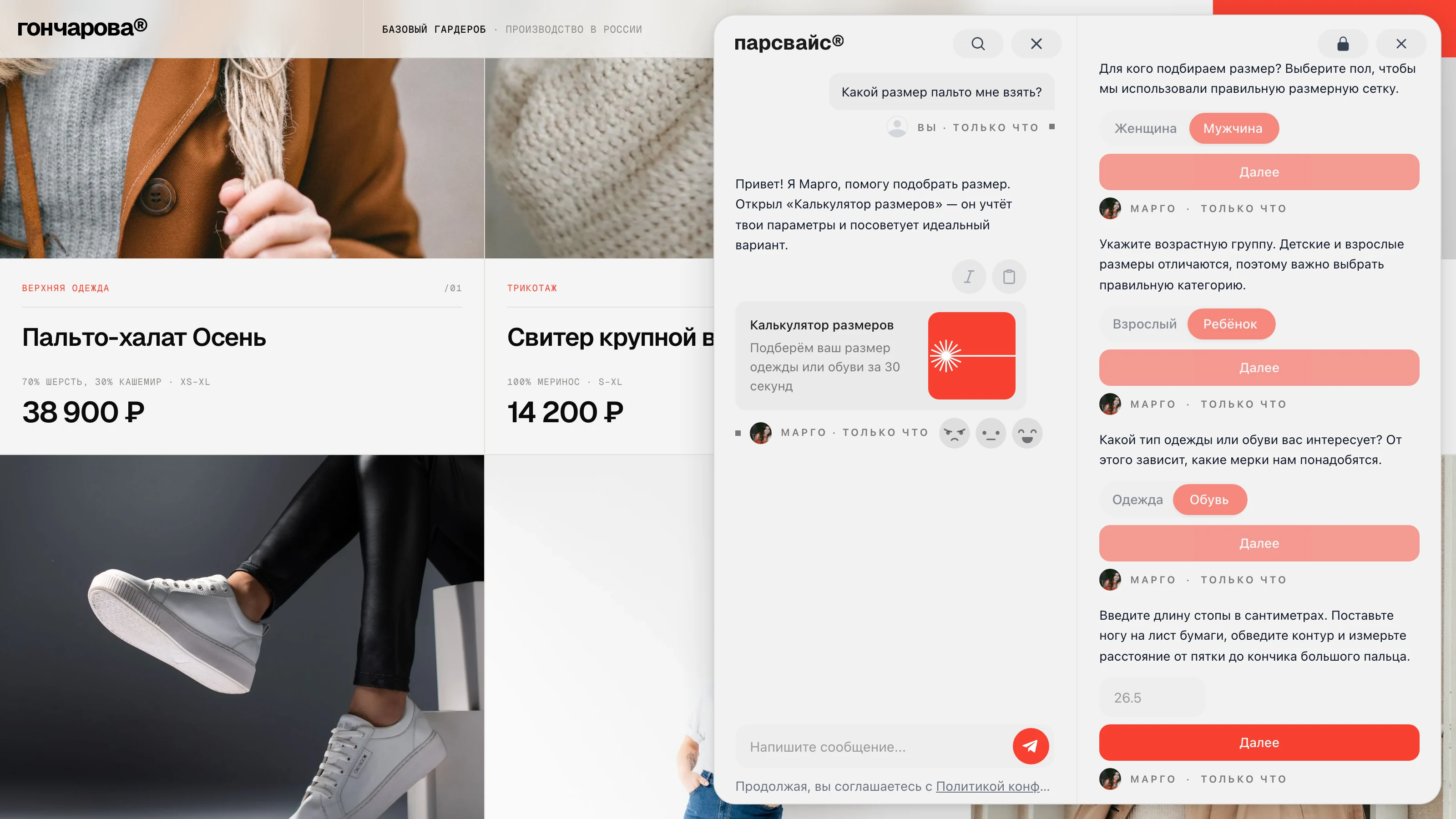
Answers from the policy and shows the document
An employee asks in their own words about leave, access or a process — the answer comes with the document and the passage highlighted.
And that is only the start of the list
What exactly it can do is up to you. Below — what it is built from: data, character, actions and channels.
PEOPLE
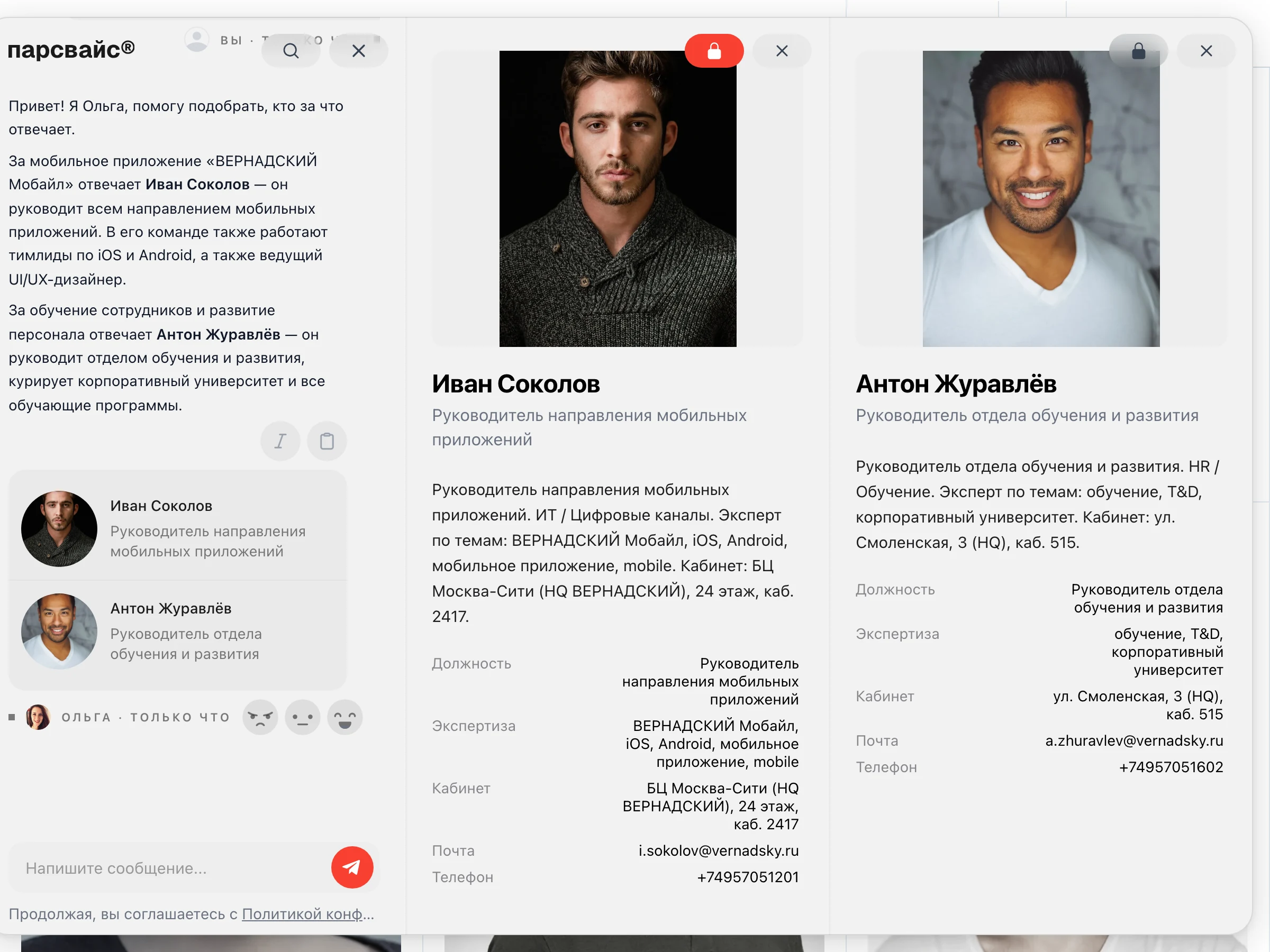
Finds the person and opens their card
A colleague, a technician, a doctor, a coach — matched to the task, with the card opened: photo, expertise, contacts. Two can stand side by side.
LIVE DATA
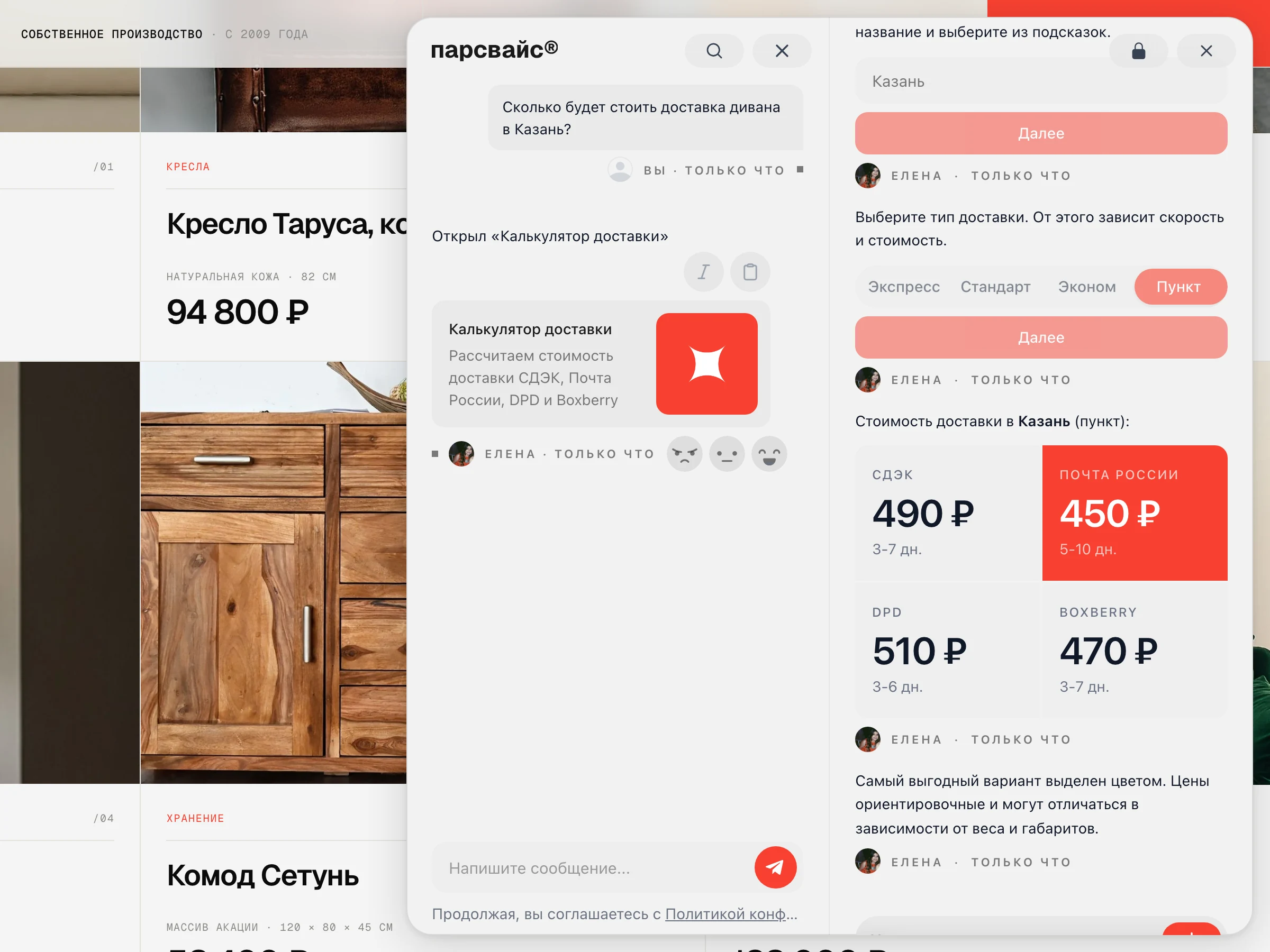
Checks against your systems
Stock, prices and statuses — from 1C and CRM as it answers.
HARD CASES
Hands over to a human
With the context already collected — no repeated questions.
Who it becomes is your call
The persona sets the goal. Advise gently and carry the client to a purchase — or serve B2B accounts precisely. The instruction is written in plain words, with no markup and no scripts.

- Clarifying questions
- Matching the budget
- Closing the order

- Answers from policy
- Diagnostics
- Callout requests

- Catalogue knowledge
- Comparing models
- Bundles and upsell

- HR questions
- Policies
- Internal services
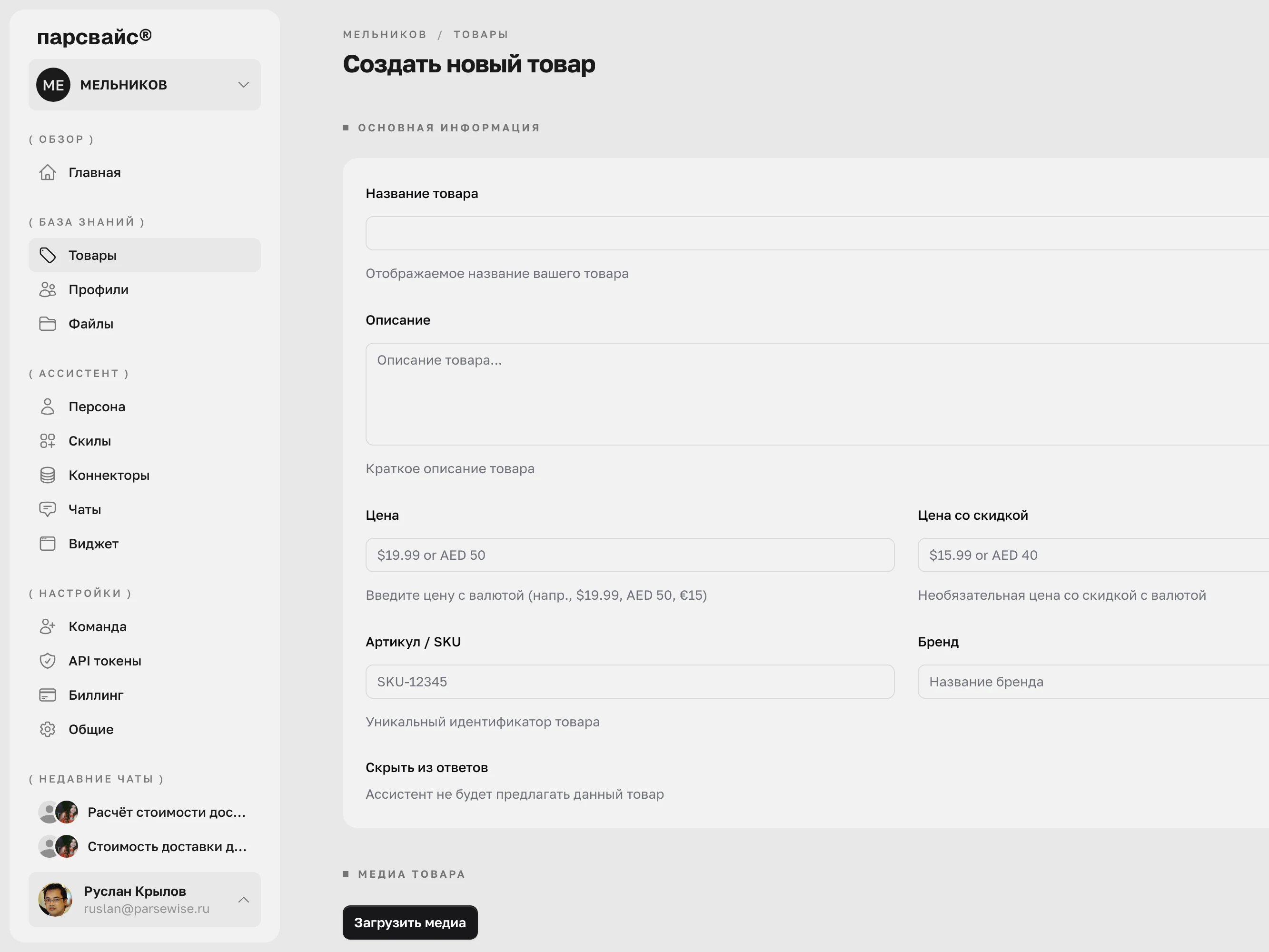
Not a folder of files, but three different kinds of data
Almost every assistant handles documents only. Here products and people are entities in their own right, each with its own fields and its own key.
Documents.
Policies, manuals, contracts and materials. The record key is the file name.
Products.
Items with a price, category, attributes and photos. The key is the SKU.
Profiles.
People records: speciality, experience, languages, contacts. The key is an external code.
A product is more than a product
A catalogue item can be anything you sell. An apartment, a credit card, a subscription plan or a bearing replacement — the fields differ, the mechanics do not.
Retail and electronics
Appliances, tools, components — compared by specification and assembled into a kit.
Clothing and footwear
Sizes, colours, collections. The client describes a look in words and the assistant shows the matches.
Real estate
Units with floor plans, area, district and price — matched to a budget and a family brief.
Banking products
Cards, deposits, loans and plans as catalogue items — with terms, rates and limits.
SaaS and subscriptions
Plans, limits and modules: the assistant explains the difference and leads to the right one.
Services
Repair, maintenance, training, delivery — with parameters, lead times and labour cost.

Who can be given a profile
From dragging in one file to a bucket of hundreds of thousands
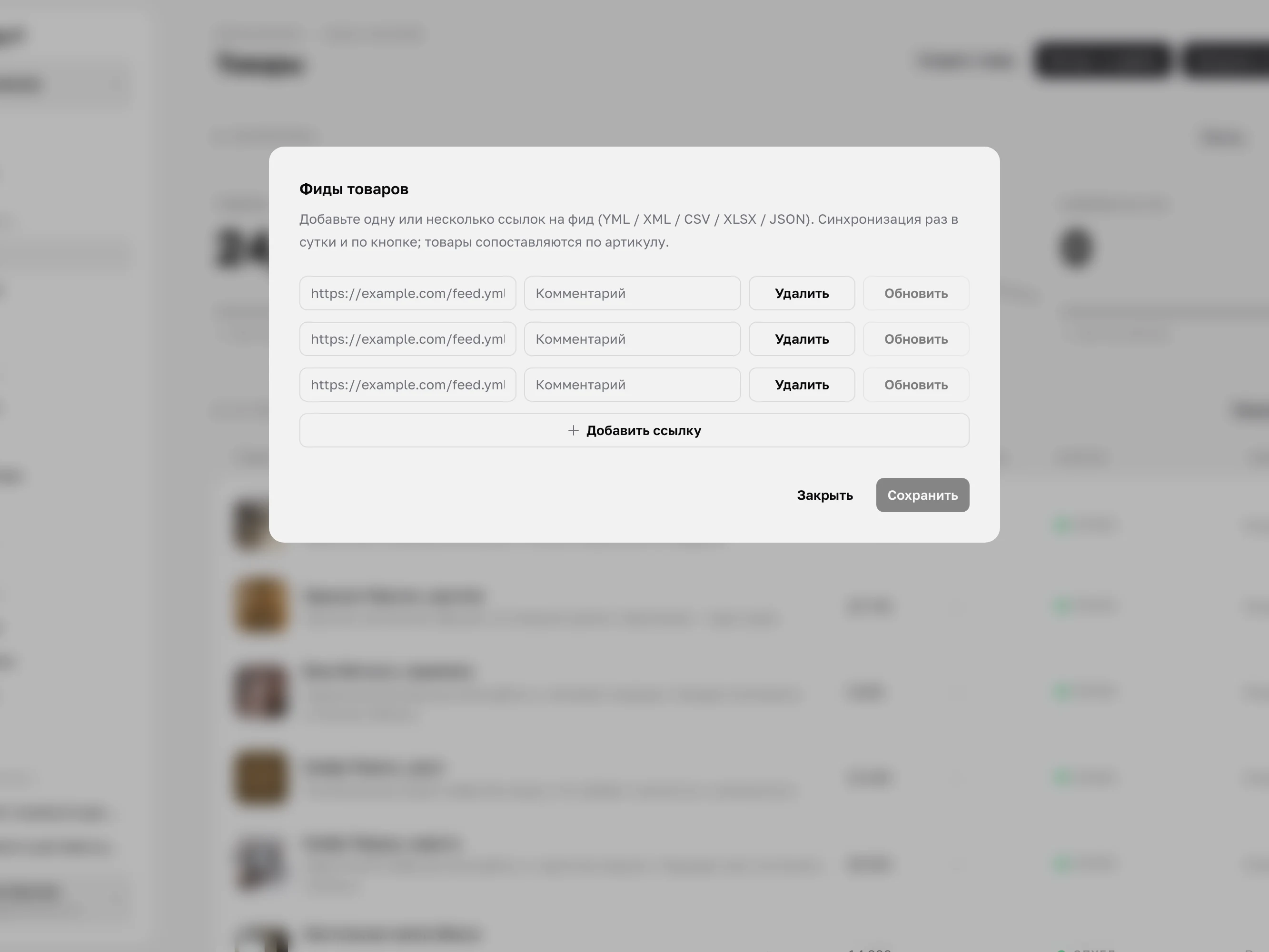
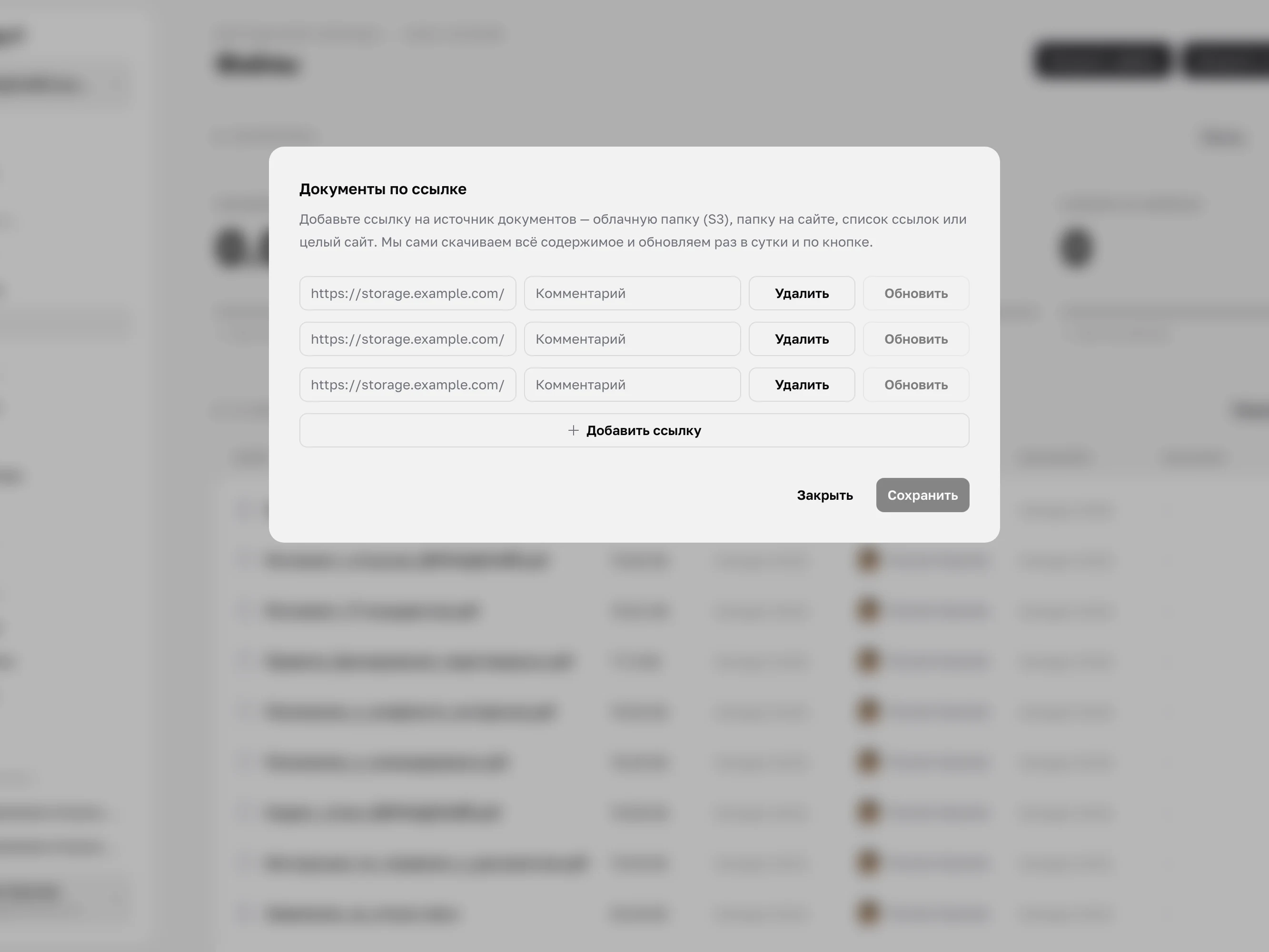
Start with a single file and grow into automatic synchronisation. A small team gets by with drag-and-drop; a large business gets feeds, object storage and a site crawl.
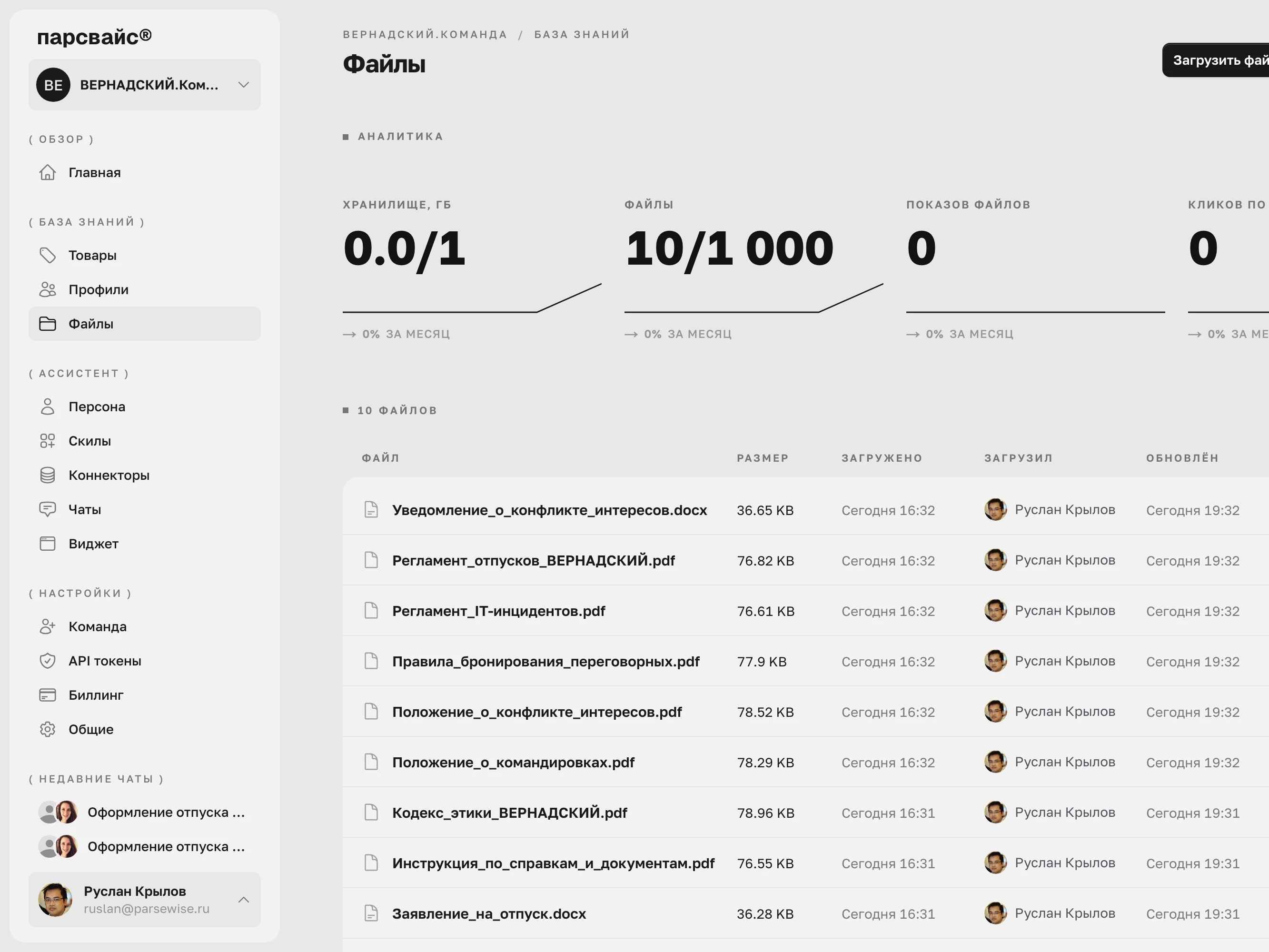
Upload it as it is
PDF · DOCX · TXT · MD
/01
XLSX · CSV · JSON
/02
PPTX · HTML
/03
MP3 · WAV · OGG · FLAC
/04
M4A · WMA · AAC · OPUS
/05
MP4 · MOV · MKV · WEBM
/06
AVI · WMV · FLV · M4V
/07
MPG · MPEG
/08
ASSISTANT · CONNECTORS
08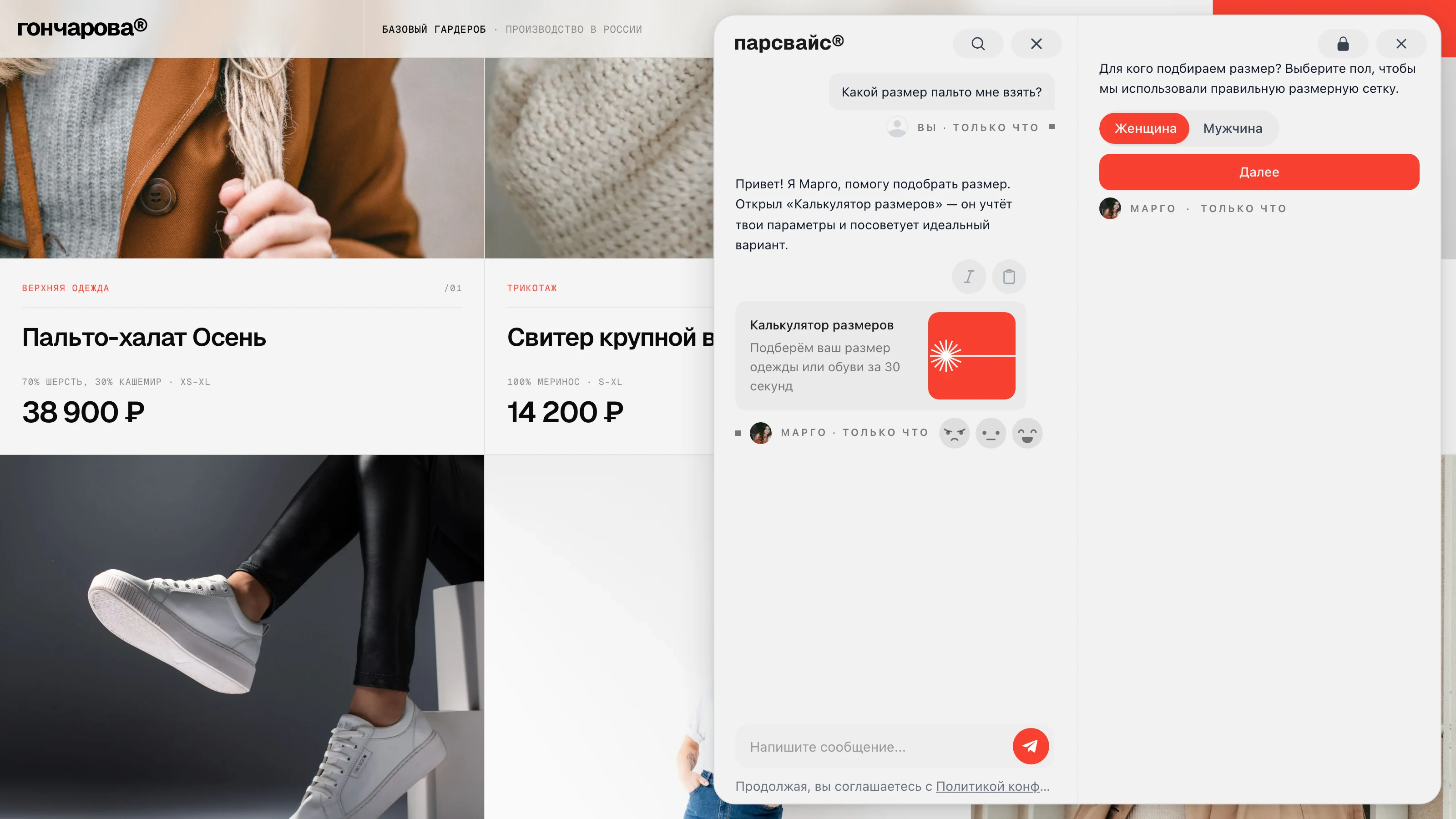
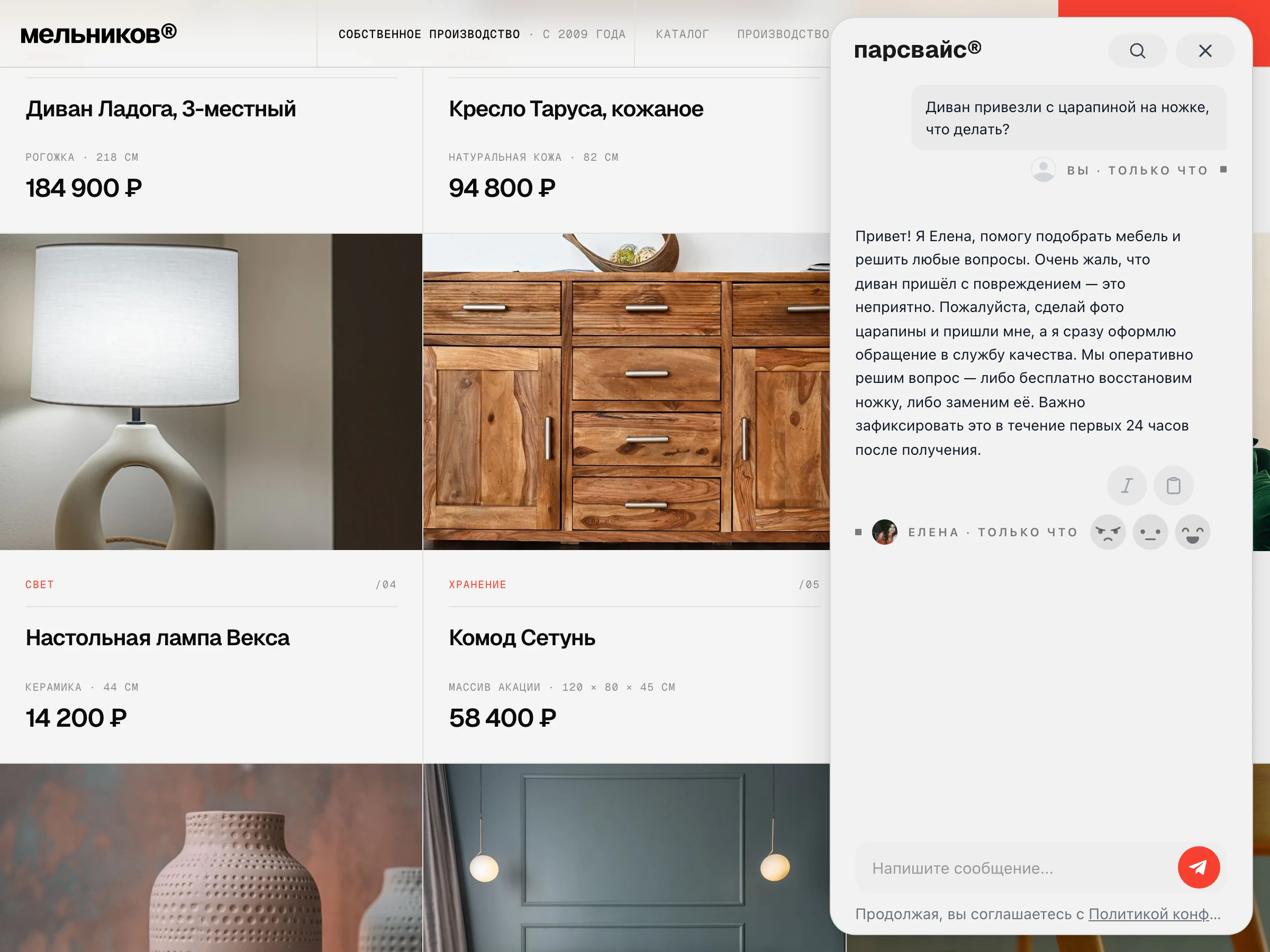
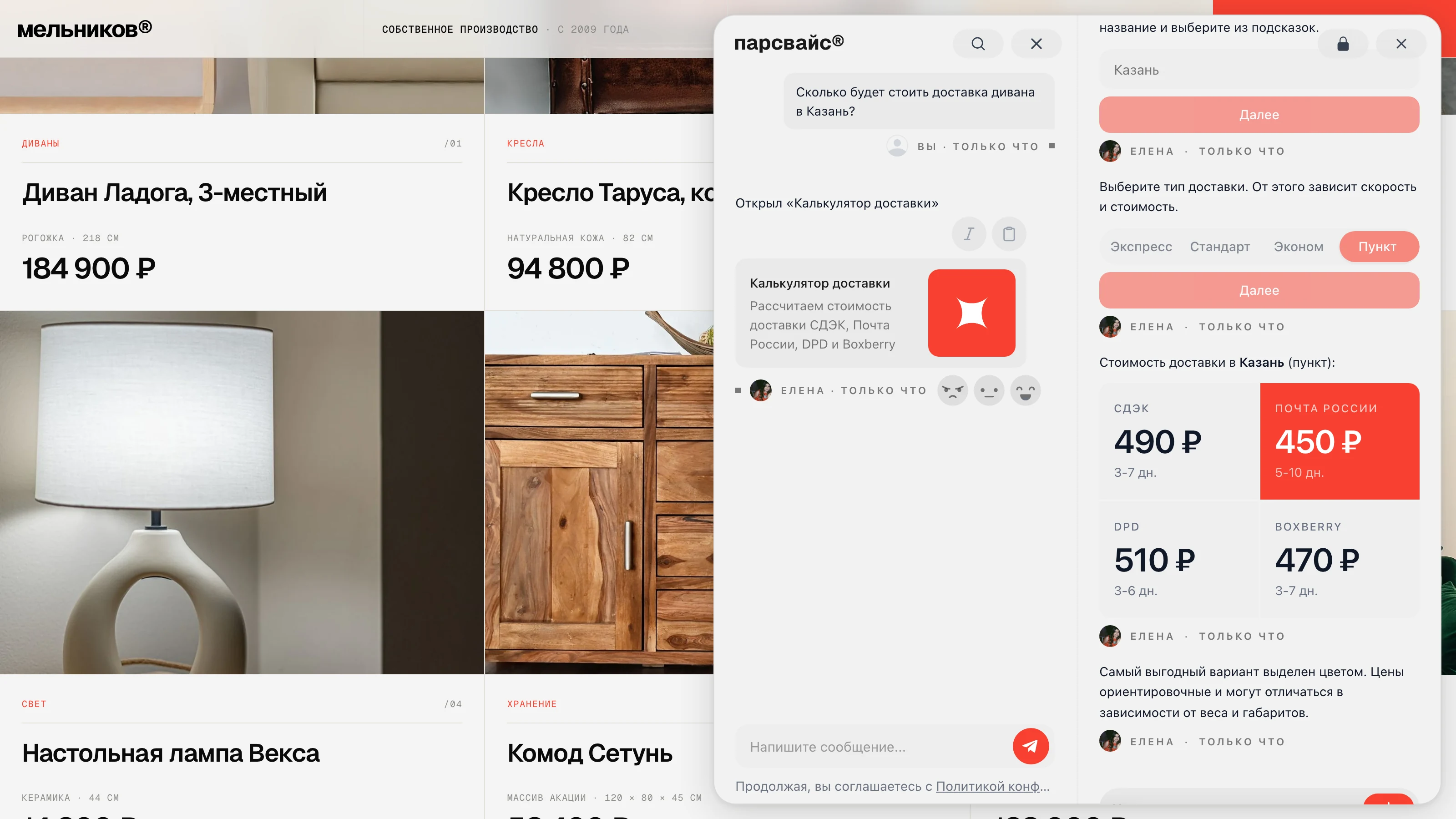
A skill is an action in the chat, not a text reply.
SKILL · SERVICES
Booking an appointment
The client picks a time in the chat — the slot is taken, a reminder goes out, the request reaches you.
SKILL · SALES
A request inside the chat
The form opens in the chat window: name, phone, a comment — the client never leaves the page.
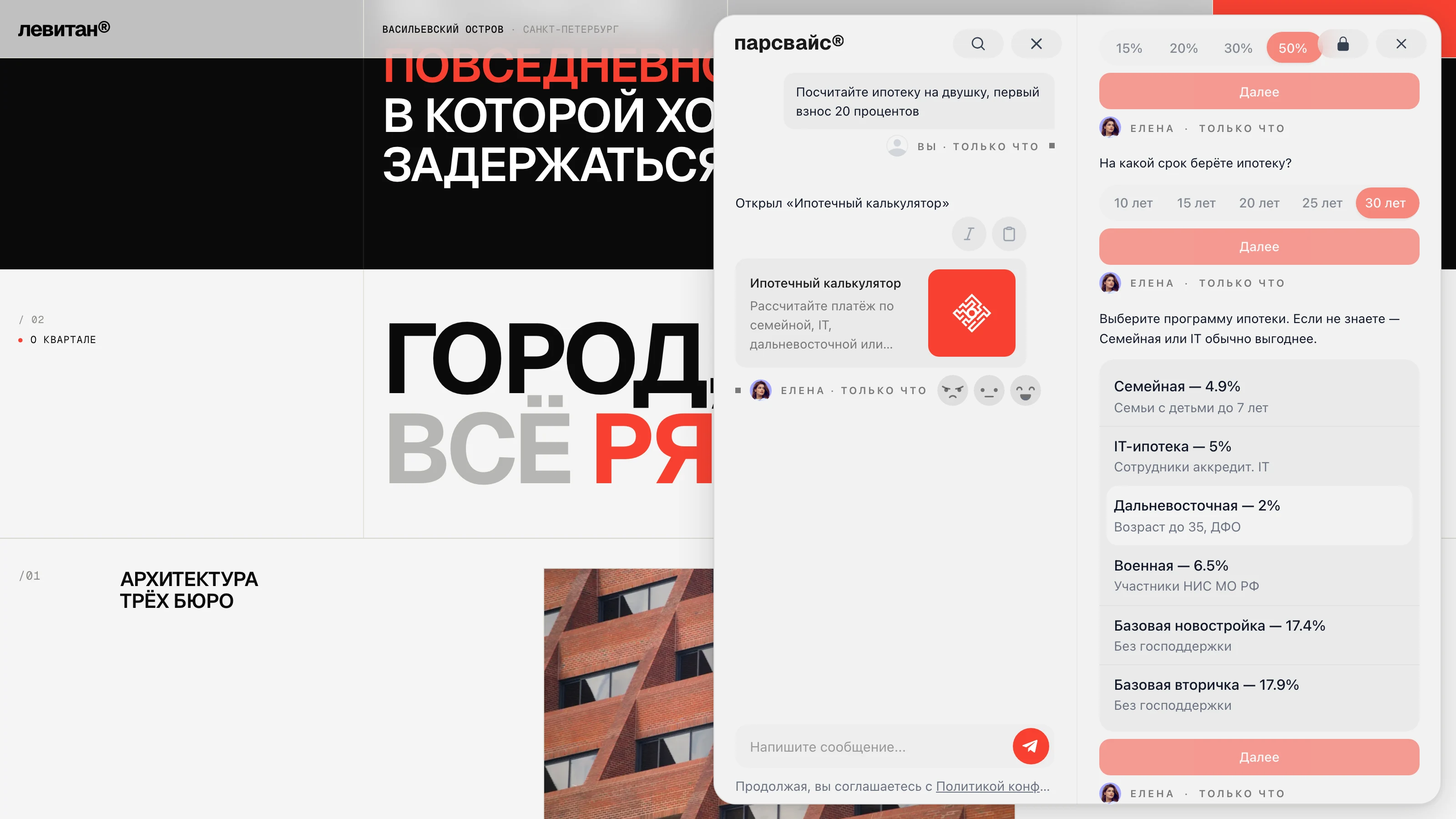
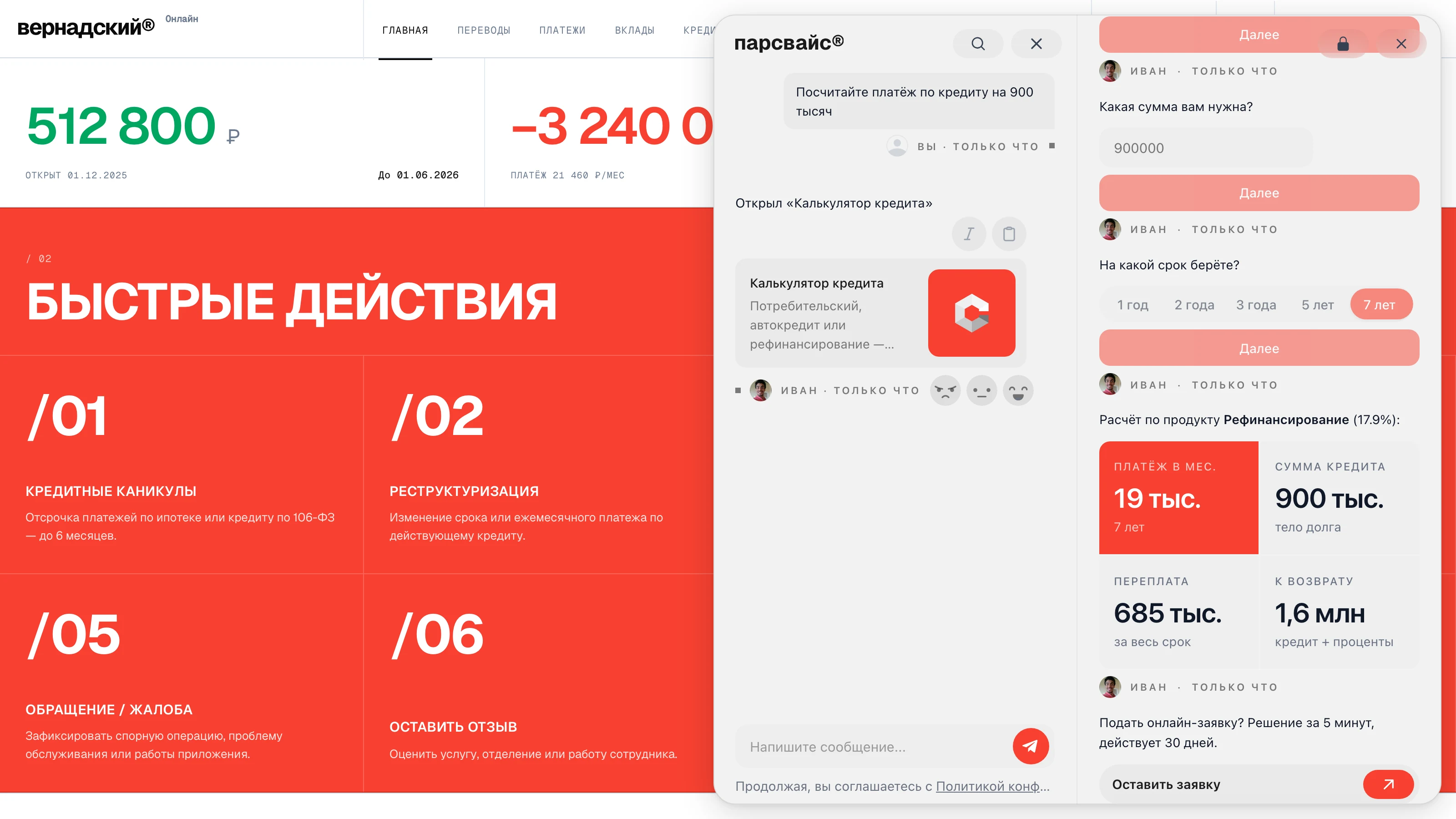
SKILL · ESTIMATE
A price calculator
The assistant asks the questions and works out the price — the client leaves with a figure, not with "ask a manager".
SKILL · MAP
Points on a map
The nearest branch or pickup point — on a map inside the chat, with directions.
Ready-made skills
booking, request, estimate, map — switched on with a toggle
Build it for yourself
the skill creator: describe the steps in words, it assembles them
An organisation catalogue
publish it and other projects can switch it on
Live data inside the chat
A connector is the bridge between the assistant and your systems. It fetches prices, stock and statuses at the moment of the question — from 1C, CRM, ERP or your own API. The assistant decides for itself when to go and get them.
The assistant goes where your client already is
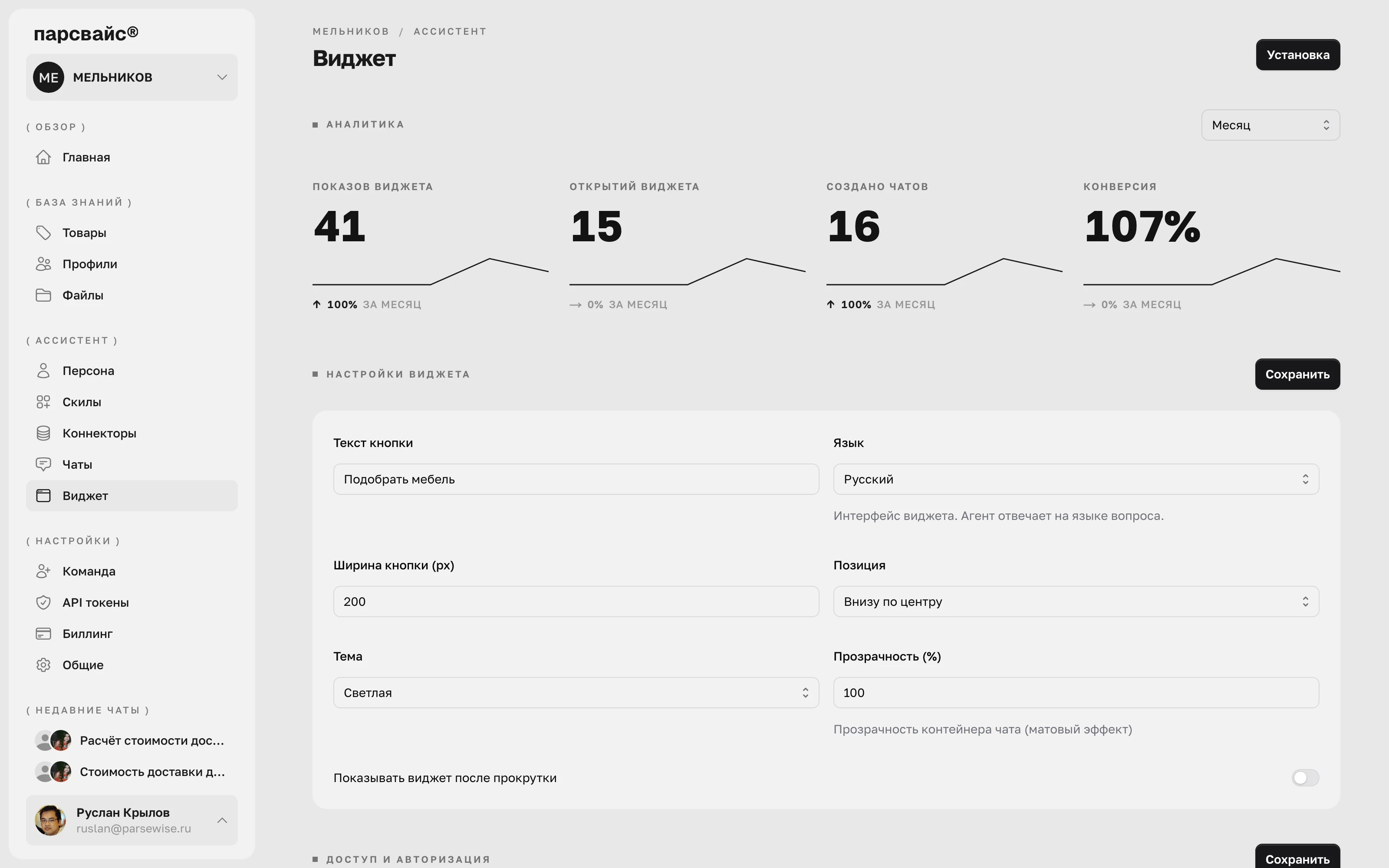
One core, as many channels as you like. The data is uploaded once — after that you choose where the assistant meets the user: on the site, in the cabinet, inside your own systems, in an app or in a closed perimeter.
CHANNELS · WIDGET
The widget goes in with one line and works everywhere the client asks questions — on the site, in the portal and in the customer cabinet.
Six reasons to trust the cabinet with people
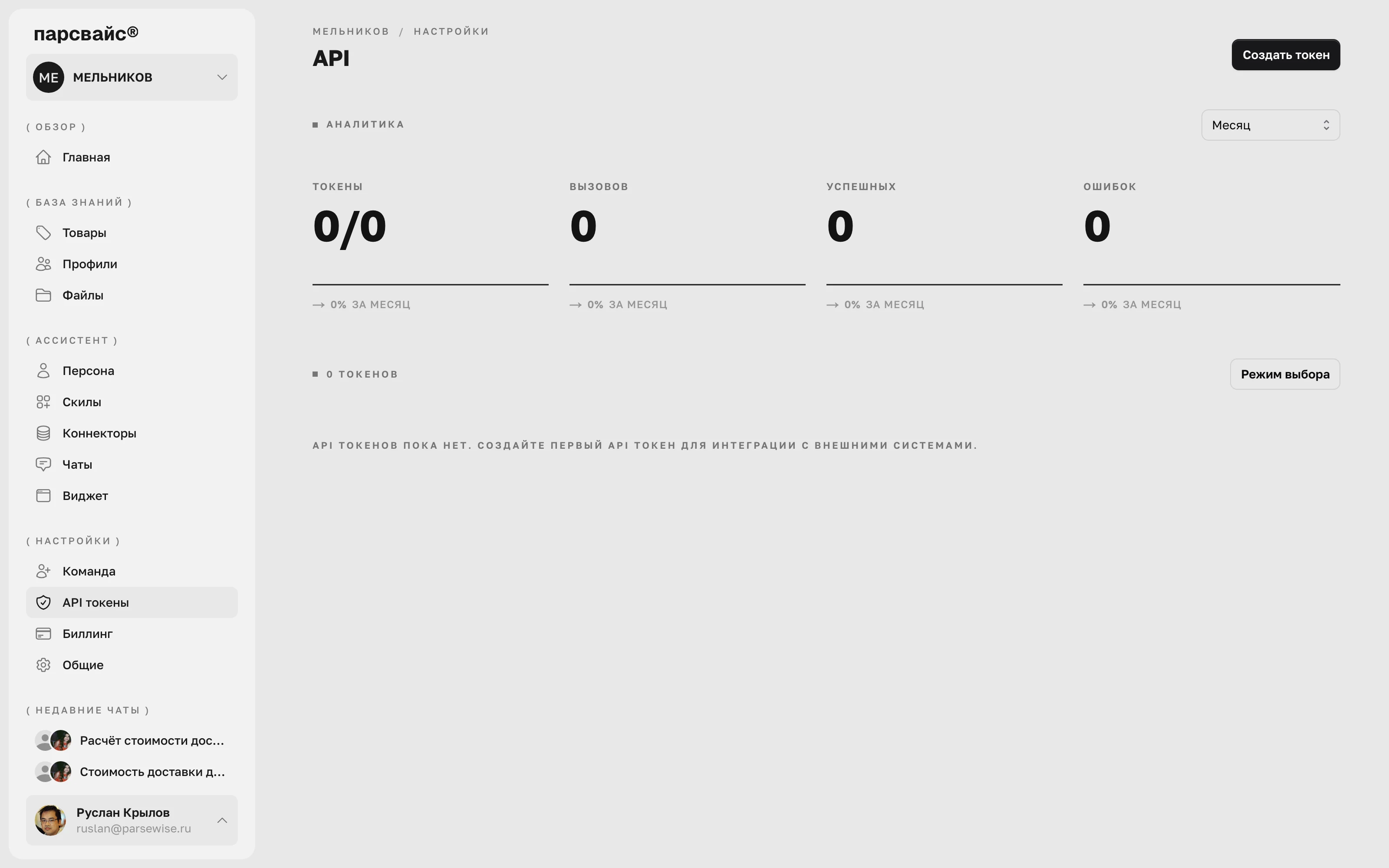
Two methods, chat and search
The interface is deliberately terse. Behind the two calls stands the whole platform: the same knowledge base, the same skills and connectors as in the widget. It embeds into your apps, bots and services.
Chat
A question, an answer from your data — with chat memory, skills and handover to an operator.
Search
Semantic search across the knowledge base: it finds by meaning, not by word match.
Streaming
First token in under a second — the answer types out in your interface in real time.
On-premise: everything inside your perimeter
The platform is deployed on your infrastructure and reaches nothing on the outside while it runs. Orange marks what we install. The database, the storage and the language model stay yours.
What the delivery includes
A platform on your terms
Three layers that everyone else hard-wires into the product are yours here: the language model, the embedding model and the pricing model. The perimeter, the models and the sign-in are configured to your requirements — and everything you have already loaded stays in place.
A fully isolated perimeter
Deployed entirely on your infrastructure, air-gap included: while it runs, the platform calls no external service at all.
Your language model
Any OpenAI-compatible service — YandexGPT, GigaChat, Qwen, Cotype or your own corporate one. Switching the model is a config edit, not a migration.
Embeddings, ours or yours
The embedding model ships with the platform, but the service address and the vector dimension are config parameters: you can plug in your own, fine-tuned on your data.
With tool calling and without it
If the model supports function calling, skills and connectors are declared to it as tools. If it does not, the decision is taken while the answer is composed. The functionality is the same.
Corporate sign-in
SSO over OpenID Connect, Keycloak and ADFS included. The private key stays with you and multi-factor authentication works unchanged.
Speech and text-in-image, on request
SpeechKit for transcribing audio and video and OCR for text on frames ship as separate components and are switched on if you need them.
Where it already works
Outside and inside — from one project. What you uploaded for your clients already answers your team as well. Every scenario has its own page with a breakdown.
Matches the product and closes the order
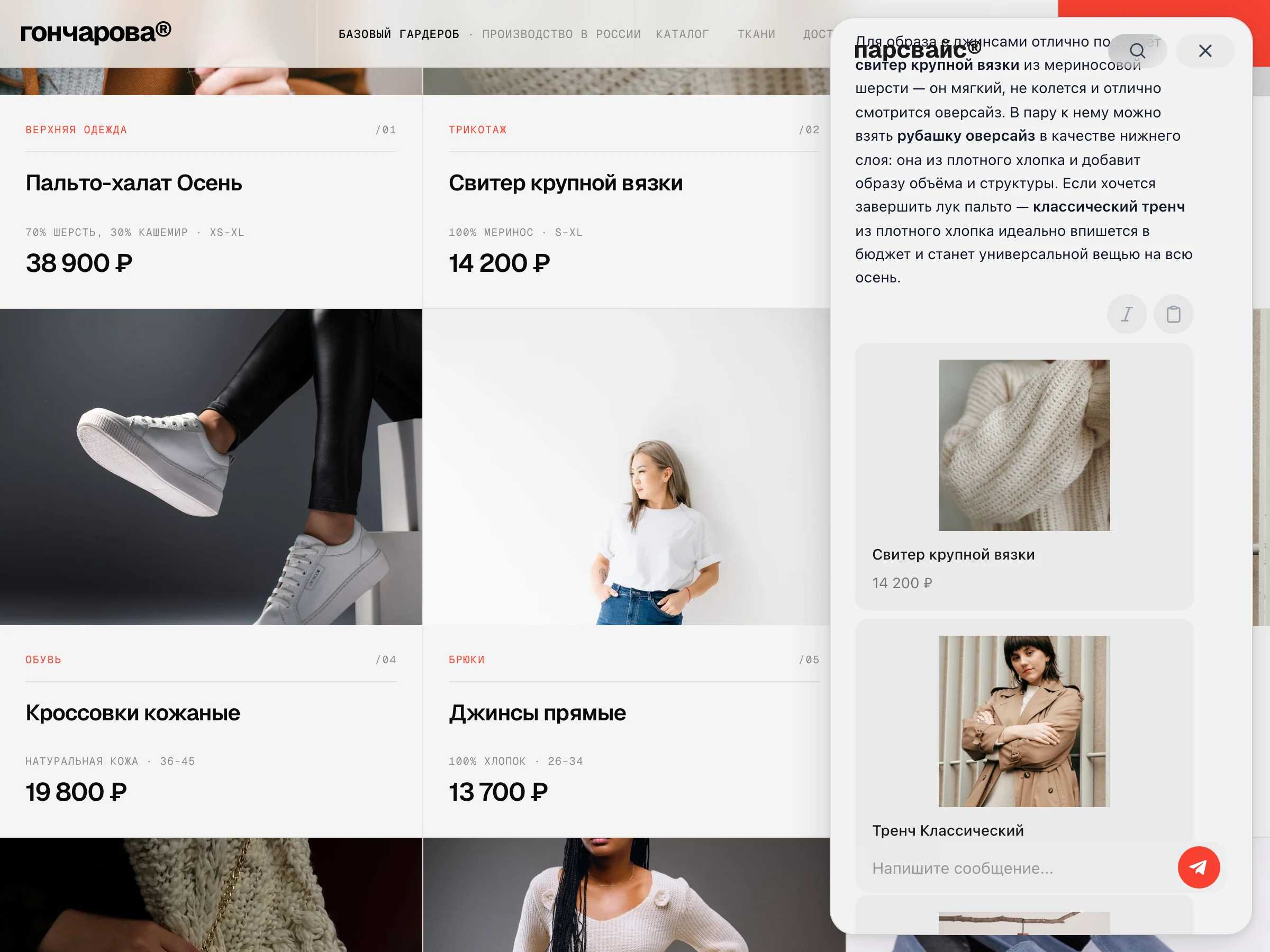
Matches the product and closes the order
Status, returns and booking with no operator
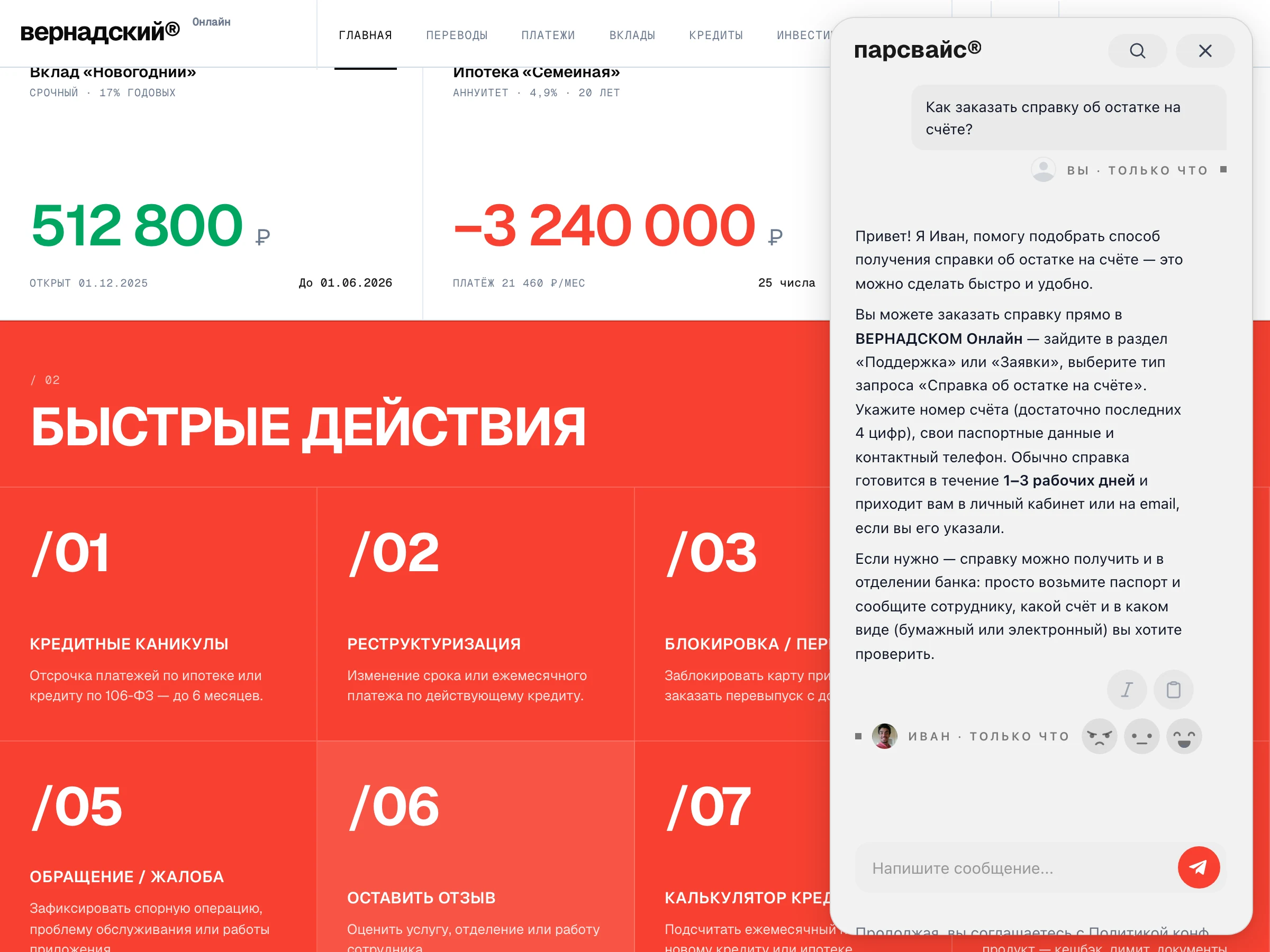
Status, returns and booking with no operator
Takes the routine calls off the call centre
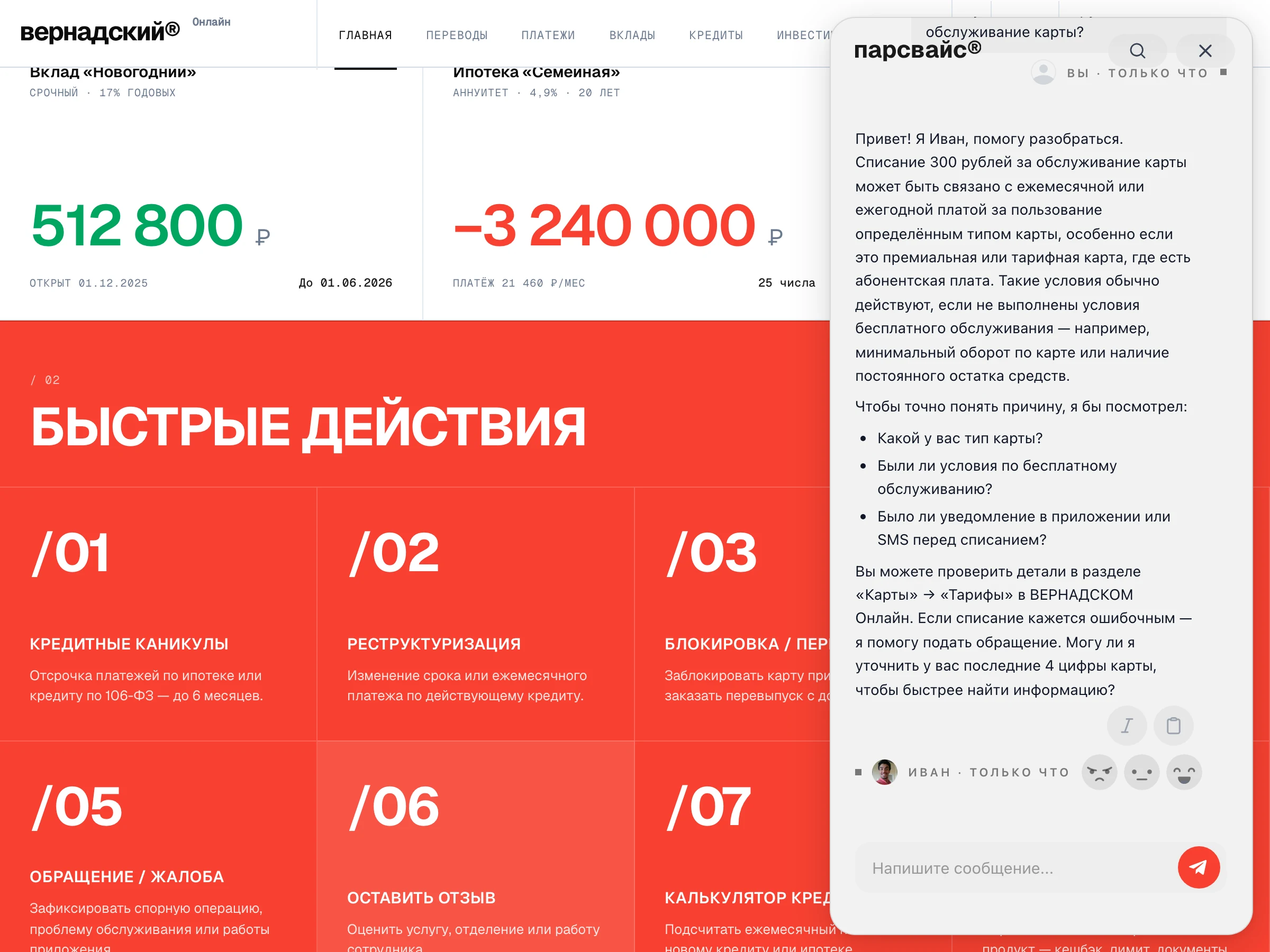
Takes the routine calls off the call centre
Answers from the manual and shows the source
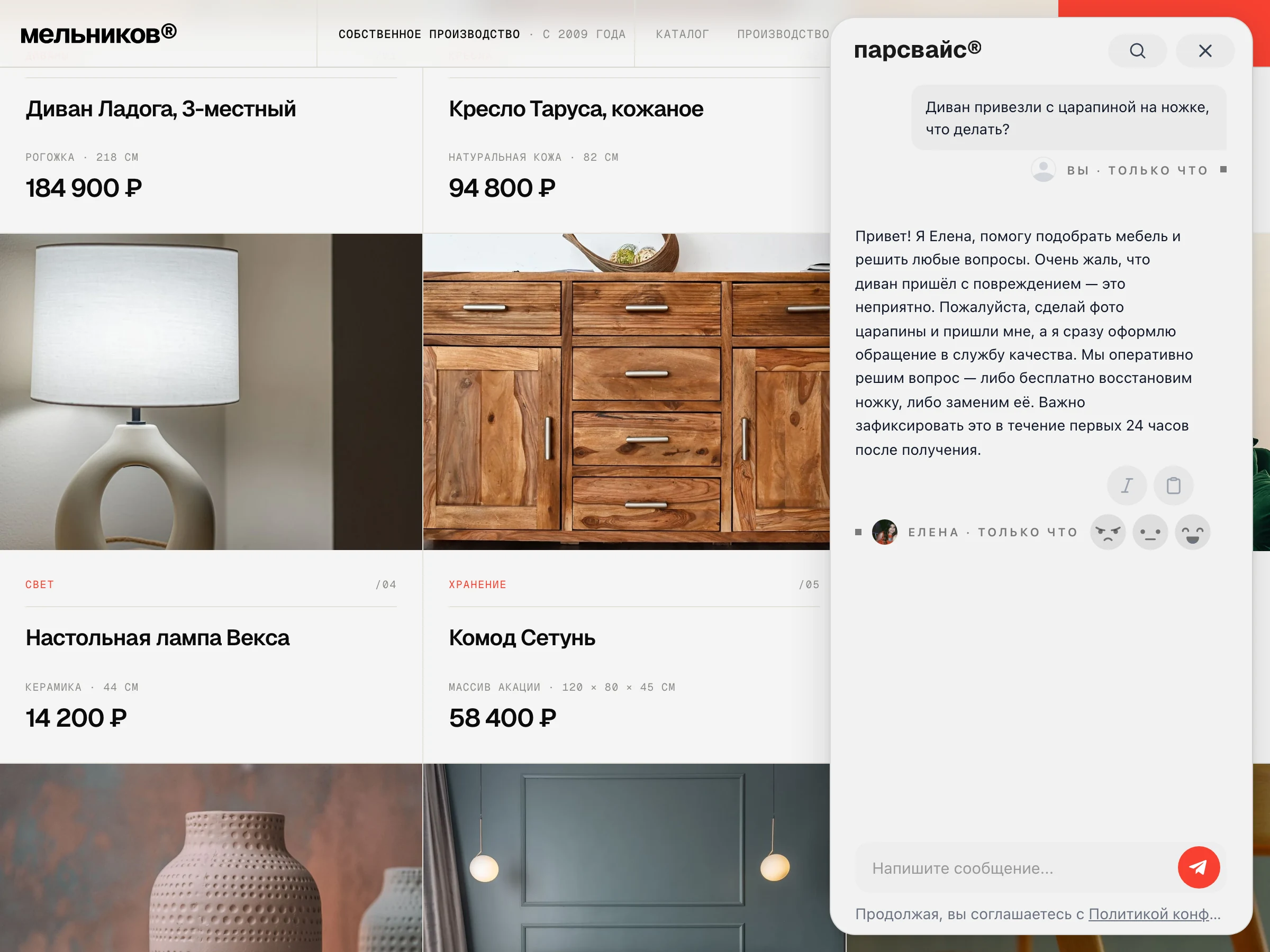
Answers from the manual and shows the source
A QR chat at the desk and a prompt for staff
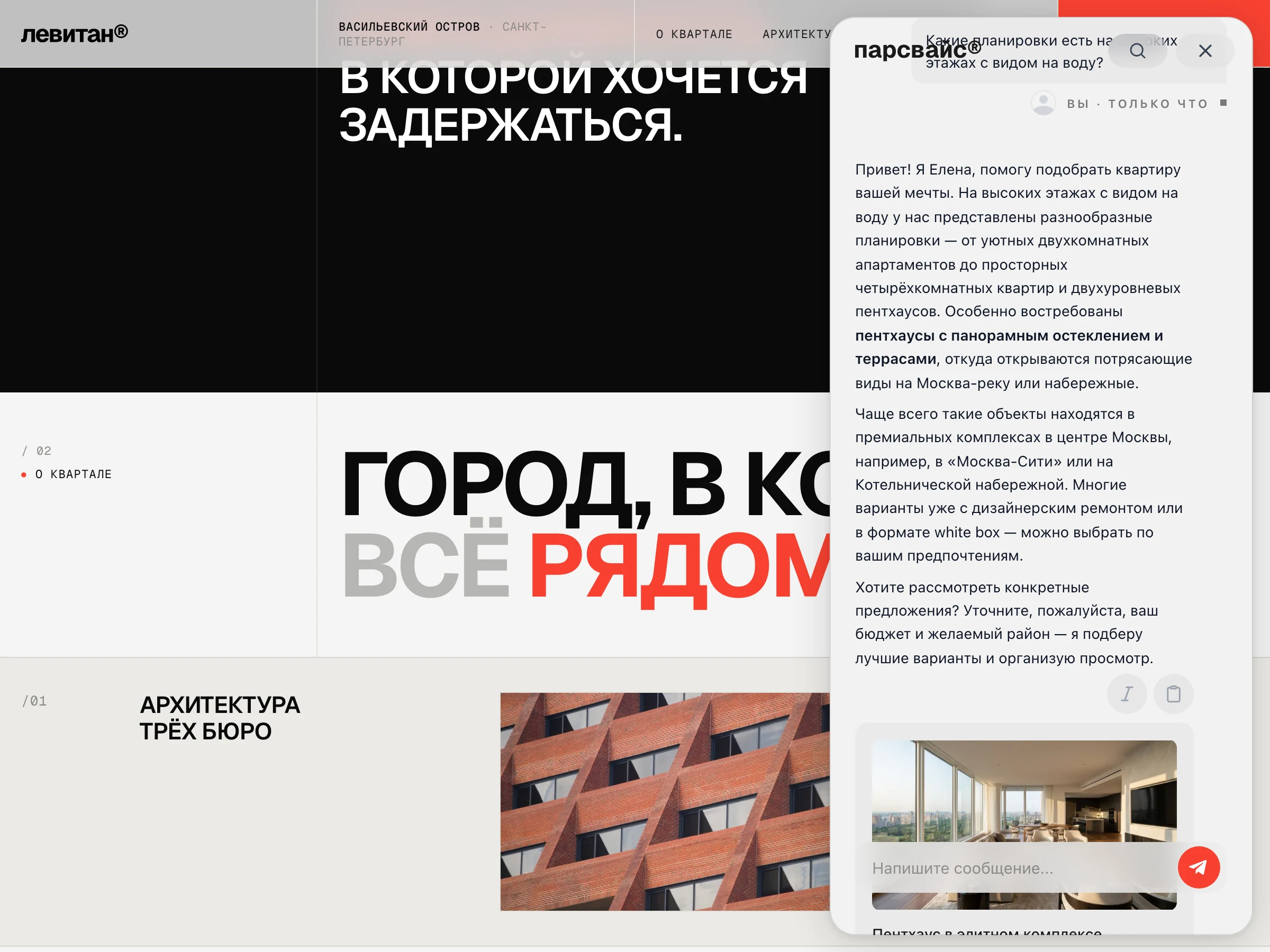
A QR chat at the desk and a prompt for staff
HR, IT and policy instead of a first line
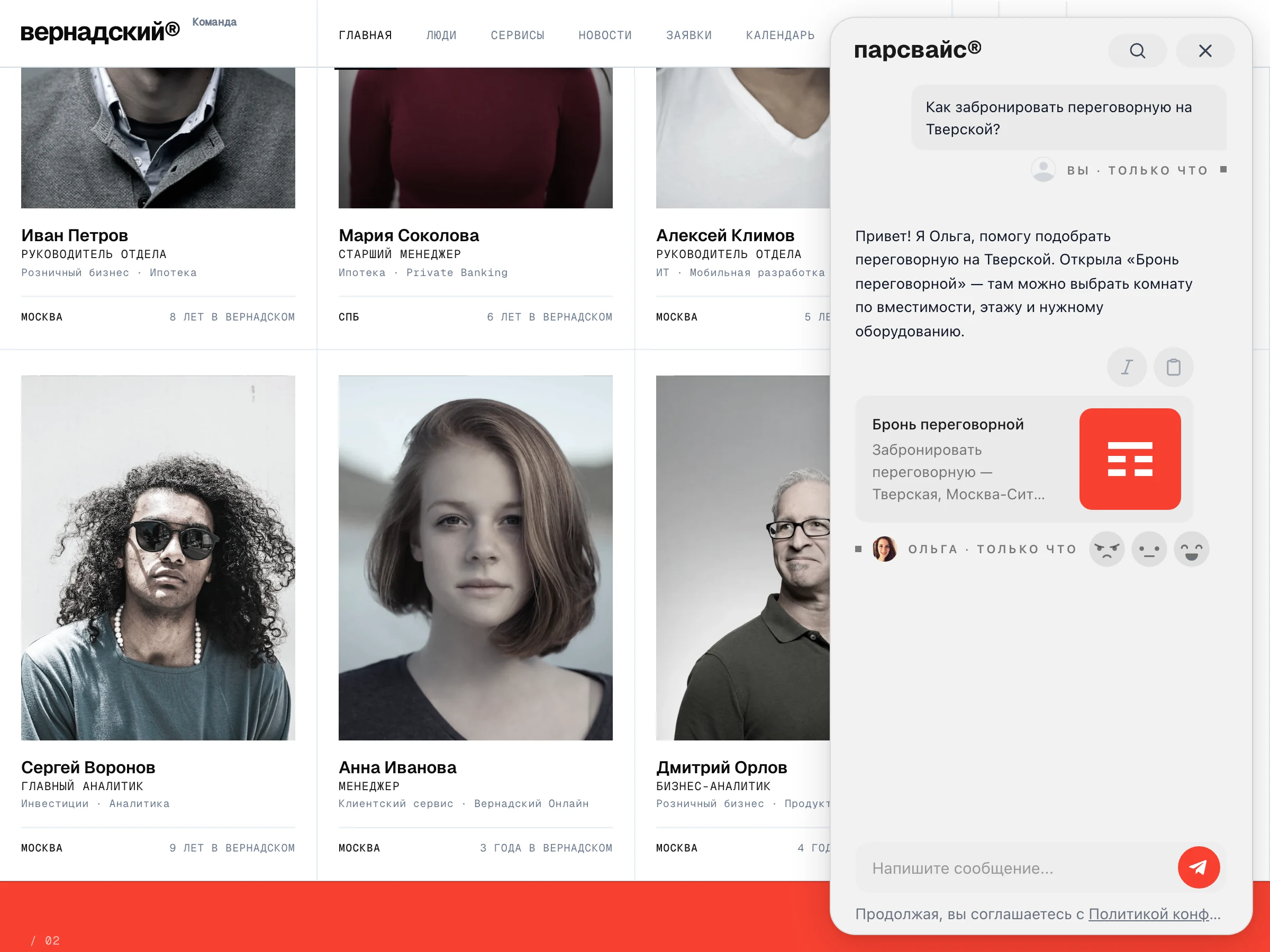
HR, IT and policy instead of a first line
Test it on your own data
Upload your own documents and catalogue — then ask the assistant the questions people ask you. That is the only test that means anything.